
Photo Organizing Guide
Photo organizing projects often feel overwhelming because they involve years - sometimes decades -
of memories. This process is designed to bring structure, clarity, and care to your collection while preserving what matters most.
Step 1: Gather
Gather Your Memories: Collect photos from all locations (closets, desks, storage bins, attic, storage units, etc.)
-
Physical prints
-
Albums
-
Photo cards & calendars
-
Framed photos
-
Slides & negatives
-
CDs & DVDs
-
Cassettes, VHS, 8mm reels, etc.
-
Documents - letters, journals, military records, certificates, etc.
-
Memorabilia (if you want to document with photographs) - medals, baseball cards, trophies, baby clothing, etc.
-
USB & external hard drives
-
Cameras & memory cards
-
Devices
-
Cloud storage

Step 2: Sort
Prepare
-
Choose a method to organize photos (chronological, event-based, people, etc.)
-
For printed photo organizing, gather some sorting bins and sticky notes to label categories
-
As you sort, start thinking about how much physical and/or digital space you will need (or want) for photo storage.
-
Begin categorizing; start with broad categories first. You can make detailed ones later.
Use the ABC'S
-
A: Album worthy - the best of the best
-
B: Box - photos that support your best; you may or may not want them digitized, but you're not ready to let go of them.
-
C: Can - throw them out (it gets easier once you get started)
-
Deduplicate - include similar photos in your deduplicating along with exact duplicates
-
Remove low - value images
-
Blurry or bad images
-
Photos of unknown people
-
Unknown or common scenery like sunsets
-
Well-known travel sites (tip: keep some favorites of your own shots, but if you could get a similar image or better by googling, you probably don't need to keep it)
-
-
-
S: Story - Does the photo have a story behind it that isn't obvious? Quickly jot down the story on a sticky note or card, or put it aside to review later.
Pace Yourself
-
Most households have:
-
Digital: 20,000 – 100,000+ photos
-
Printed: 1,000 – 10,000+ photos
-
-
Try to follow the two-second rule - resist the urge to dwell on a photo.
-
Going through photos can be emotional, and with the volume of photos you (we all) likely have, you'll need to take breaks.


Step 3: Storage
Digitize prints, then:
1. Gather all digital photos together into one master folder
2. Back up your master folder before making changes
3. Set up folder structure by year, event, or category
4. Create a consistent file naming system:
-
YYYY-MM-DD_event_description (most common & recommended)
Example: 2022-12-25_Christmas_001.jpg
-
EventName_Year
Example: Hawaii_2023_001.jpg
-
People_001
Example: JonesFamily_2021_001.jpg
Example: JonesFamily_001.jpg (if date is unknown)
5. Sort within computer files or use your photo app and/or de-duplication, clean-up, or folder-based apps. If you have an extra large photo collection, you can use something like Mylio Photos or Lightroom
Did you know people are much more likely to lose photos due to hardware/software failure than to natural disaster?
Use the 3-2-1 backup rule: 3 copies, 2 different storage types, 1 offsite location
Digital
-
Cloud storage
-
External hard drives
-
USB flash drives
-
Computer & photo software
Printed
-
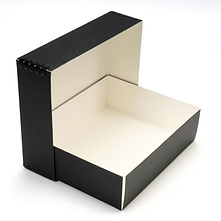
Archival quality photo boxes
-
Archival quality photo albums
-
Climate-controlled storage
-
Cool, dry, dark environment
-
Avoid basements/attics (moisture & heat damage)
-
-
Display in frames (tip: use UV-protective glass to prevent fading)
Step 4: Maintain
-
Sort and declutter photos regularly (2-4 times a month. If your system is on your phone, when you're waiting in line, for appointments, etc.)
-
Stick to your existing folder system. Consistency is more important than perfection.
-
Keep backups running
-
Avoid holding folders like "Misc" or "To Sort Later"
-
The best system is one you will actually use, so keep it simple.


Remember
Do:
-
Work in short sessions
-
Start with recent photos first
-
Handle each photo as few times as possible
-
Expect the process to take longer than you think
-
Give yourself permission to let some things go
-
Focus on reducing volume first
Don't:
-
Forget to back everything up before starting
-
Try to organize everything perfectly
-
Buy organizing supplies too early
-
Try to organize before deleting